Hey everyone, Amanda here from Avsoftlab! If you’ve been frustrated with Y2mate’s constant pop-up ads, slow speeds, broken links, and security worries, this comprehensive guide is exactly what you need. In 2026, downloading YouTube videos safely and reliably is still very much possible you just need the right tools.
I’ve tested and researched the top Y2mate alternatives that deliver high-quality MP4 and MP3 downloads, support playlists, offer excellent video quality (up to 8K where available), and prioritize your safety. Whether you prefer desktop software, online tools, or completely software-free methods, this article covers everything with clear, step-by-step instructions.
We’ll discuss why Y2mate has declined, review the most reliable alternatives with their pros, cons, and real-world performance, explore no-install options, and share expert tips for the best experience. Let’s dive in and make downloading YouTube videos simple, fast, and secure!
What is Y2mate and Why Do We Need Its Alternatives?
Y2mate gained popularity as a free online YouTube video downloader that let users quickly convert and save videos as MP4 or extract audio as MP3. You simply pasted a link, selected quality, and downloaded no software required.
However, by 2026, Y2mate and its many clone sites have become increasingly problematic. Users frequently report:
- Aggressive advertising and redirect chains that can lead to malicious sites.
- Higher risk of malware or unwanted browser extensions.
- Inconsistent performance due to YouTube’s frequent anti-downloading updates.
- Poor download speeds and limited format/quality options.
- Privacy concerns from data tracking on ad-heavy platforms.
While downloading videos for personal, offline use (fair use) is common, always respect copyright laws and content creators’ rights. YouTube’s official Terms of Service generally prohibit downloading without permission, except through YouTube Premium’s built-in offline feature.
Secure Y2mate alternatives solve these issues by offering better stability, higher quality, fewer risks, additional features like batch downloading and subtitle support, and stronger privacy protections.
Best Working Y2mate Alternatives to Download Video from YouTube
Here are the most reliable and secure options in 2026, selected based on user feedback, update frequency, safety records, and performance. I’ve included detailed features, safety notes, and easy-to-follow instructions for each.
1. 4K Video Downloader Plus (Best Overall Desktop App)
This remains one of the most popular and user-friendly desktop tools for Windows, Mac, and Linux.
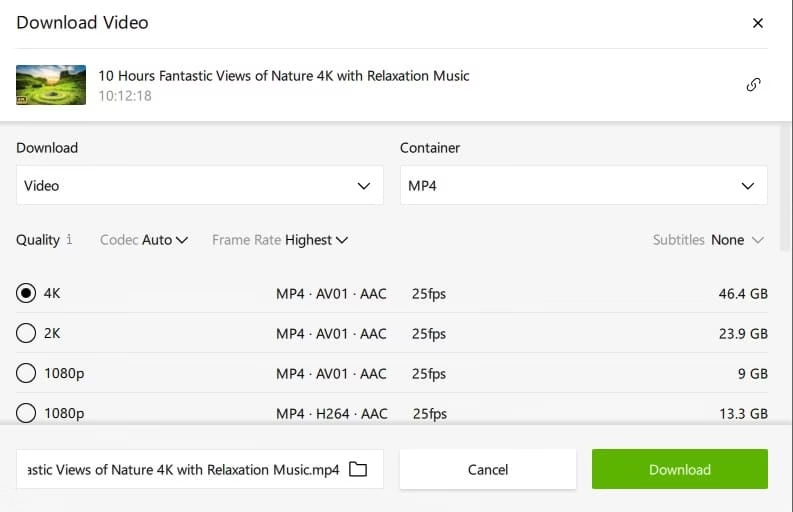
Unique Features:
- Downloads in up to 8K, HDR, and 360° video quality.
- Full playlist, channel, and subtitle downloading with smart mode for recurring updates.
- Built-in video trimmer, proxy support, and private video access (with login).
- Fast multi-threaded downloads with resume capability.
- Clean interface with no intrusive ads in the free version (paid version removes limits).
- Extremely reliable with quick adaptation to YouTube changes.
- Free version has daily/playlist limits. Paid lifetime license is affordable for heavy users.
Working Status & Safety: Highly reliable in 2026 with excellent user reviews for consistency. Safe when downloaded from the official 4kdownload.com site — no malware reported in official versions. Always scan with antivirus as a best practice.
How to Use (Step-by-Step):
- Visit the official website and download the installer.
- Install and launch the app.
- Copy the YouTube link (video, playlist, or channel).
- Paste it into the app — it auto-detects options.
- Choose resolution, format (MP4 recommended), and subtitles if needed.
- Click “Download” and enjoy your offline video!
Also know: Fivem Download and Install on PC for GTA V Multiplayer Modification
2. ClipGrab (Best Free Open-Source Option)
Lightweight, transparent, and great for privacy-focused users.
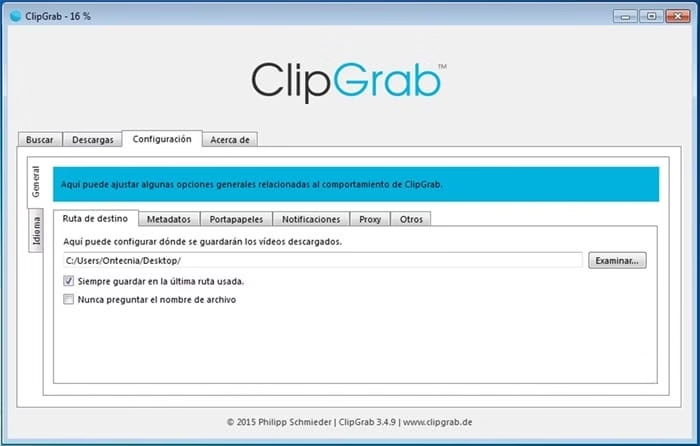
Unique Features:
- Open-source code you can verify yourself.
- Built-in search so you don’t always need to copy links.
- Supports YouTube plus many other sites with format conversion.
- Completely ad-free with regular community updates for new codecs (including AV1).
- Excellent safety and no upsells.
- Slightly simpler interface than premium tools.
Working Status & Safety: Very stable and trusted in 2026 due to active open-source maintenance. One of the safest choices with no reported malware risks.
How to Use:
- Download from the official ClipGrab website.
- Paste link or search for video inside the app.
- Select options and start download.
3. SnapDownloader (Best for Bulk & Advanced Users)
Powerful desktop software ideal for heavy downloaders.
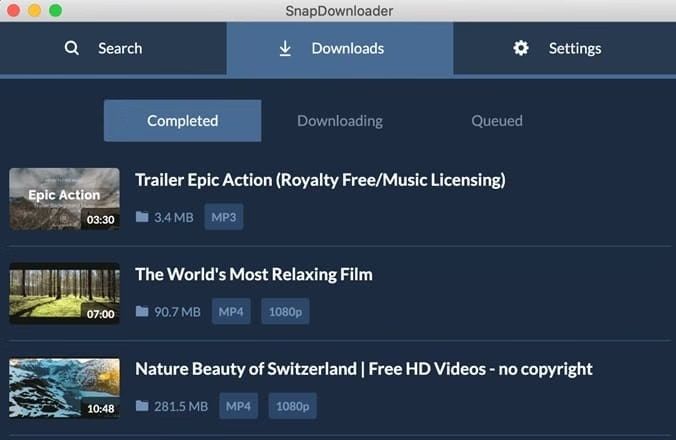
Unique Features:
- Supports 900+ websites with fast batch and playlist downloads.
- 8K support, automatic subtitle fetching, and post-download conversion.
- Scheduler and built-in browser for easy link collection.
Working Status & Safety: Reliable performer that adapts well to platform changes. Safe from official sources.
Other Strong Mentions:
- yt-dlp (command-line powerhouse for tech users — most customizable and stable long-term).
- SaveFrom.net (solid online option with browser extension).
- ByClick Downloader (one-click simplicity).
Quick Comparison Tip: Choose desktop apps like 4K Video Downloader or SnapDownloader for frequent use and highest quality. Go online for occasional needs.
Pro Tips for Safe Downloading:
- Always use official websites or app stores.
- Keep your antivirus and browser updated.
- Use a VPN for extra privacy on public Wi-Fi.
- Prefer MP4 format for best compatibility.
- Check video licenses — prioritize public domain or Creative Commons content.
Also know: Ryujinx Download in 2026: Get the Nintendo Switch Emulator
4. Other Ways to Download YouTube Videos Without Any Software
Prefer zero installation? Here are excellent no-software methods:
- YouTube Premium Offline Mode: The official, safest way. Subscribe and download videos/playlists directly in the YouTube app for offline viewing (content expires eventually).
- Browser Extensions: Well-reviewed options like Video DownloadHelper (Firefox/Chrome). Check recent reviews for compatibility.
- URL Tricks & Online Tools: Try adding “ss” before “youtube” (ssyoutube.com) or use VidsSave/SaveFrom.net as above.
- Screen Recording: Tools like built-in OS recorders or free software (e.g., OBS Studio) for any video, though quality may be lower.
These keep things lightweight but may lack advanced features like high-resolution batch downloads.
Conclusion
In 2026, downloading YouTube videos doesn’t have to involve risk or hassle. Secure Y2mate alternatives like 4K Video Downloader Plus, VidsSave, and ClipGrab make the process fast, high-quality, and safe.
Go with 4K Video Downloader Plus for most users. It offers the best balance of ease, reliability, quality options, and safety for both beginners and regular downloaders. For completely free and technical users, yt-dlp is unbeatable. For quick one-offs, VidsSave is fantastic.
Remember to download responsibly, respect copyrights, and support creators you love. Stay safe, and if you have questions about any tool, drop a comment — I’m here to help!

Amanda Starc
Amanda is a dedicated technical web content writer with a passion for transforming complex ideas into compelling and accessible online narratives. With a background in web development, and digital Marketing I bring a unique blend of technical expertise and creative storytelling to the digital domain.
