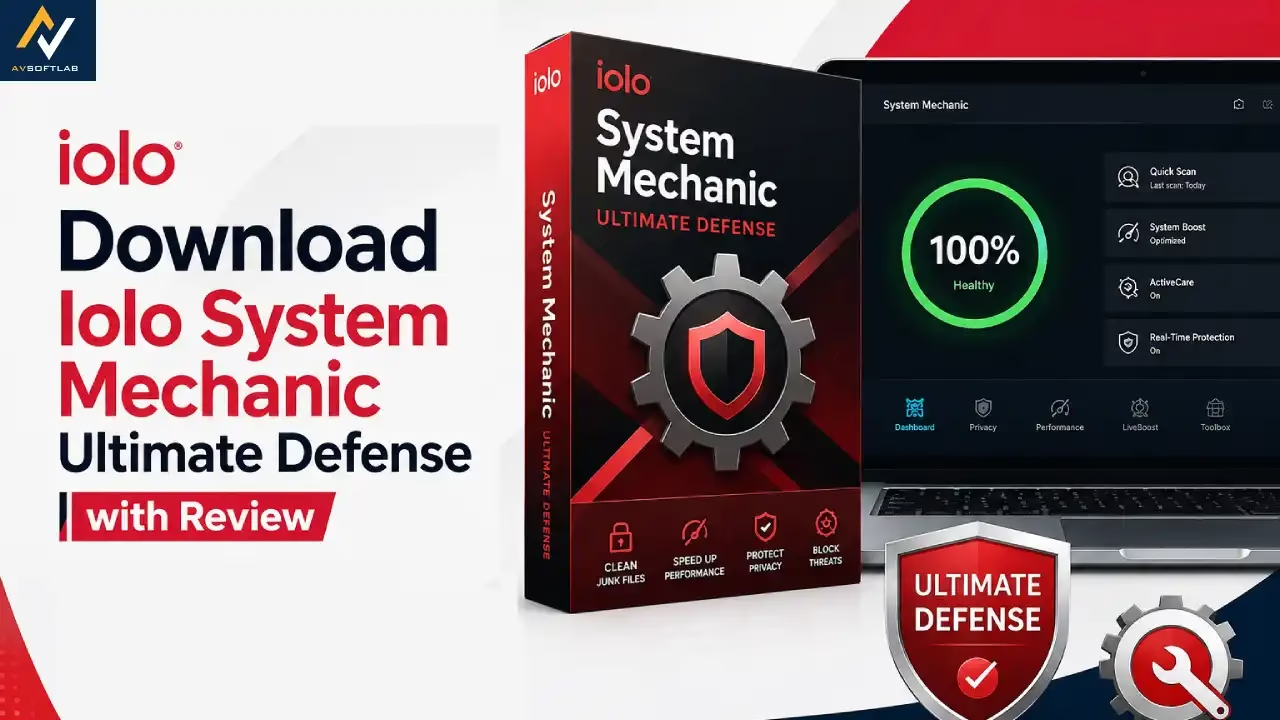

System Mechanic Ultimate Defense by iolo is one of the most complete all-in-one PC protection and optimization suites available today. While many tools focus only on cleaning or only on antivirus, this package combines performance boosting, real-time security, privacy protection, and password management in a single dashboard. It has earned strong praise for making Windows PCs faster, safer, and easier to maintain.
However, this article digs deep into System Mechanic Ultimate Defense. In our review, you will find answers to all your questions about this software. Let us begin by answering the most basic one — what is System Mechanic Ultimate Defense?
What Is System Mechanic Ultimate Defense
System Mechanic Ultimate Defense is an all-in-one Windows software suite that optimizes your PC’s performance, protects it from viruses and malware, safeguards your online privacy, and manages your passwords securely. Simply put, it cleans junk files, speeds up your system, blocks threats in real time, recovers deleted files, and keeps your personal data private — all from one easy-to-use interface.
But isn’t this what many other PC cleaners and antivirus tools also claim to do? Then what makes System Mechanic Ultimate Defense stand out from the crowd?
To answer these questions, let us review its key features.
Unique Features of System Mechanic Ultimate Defense
Below are the features we found exceptional while conducting this System Mechanic Ultimate Defense review.
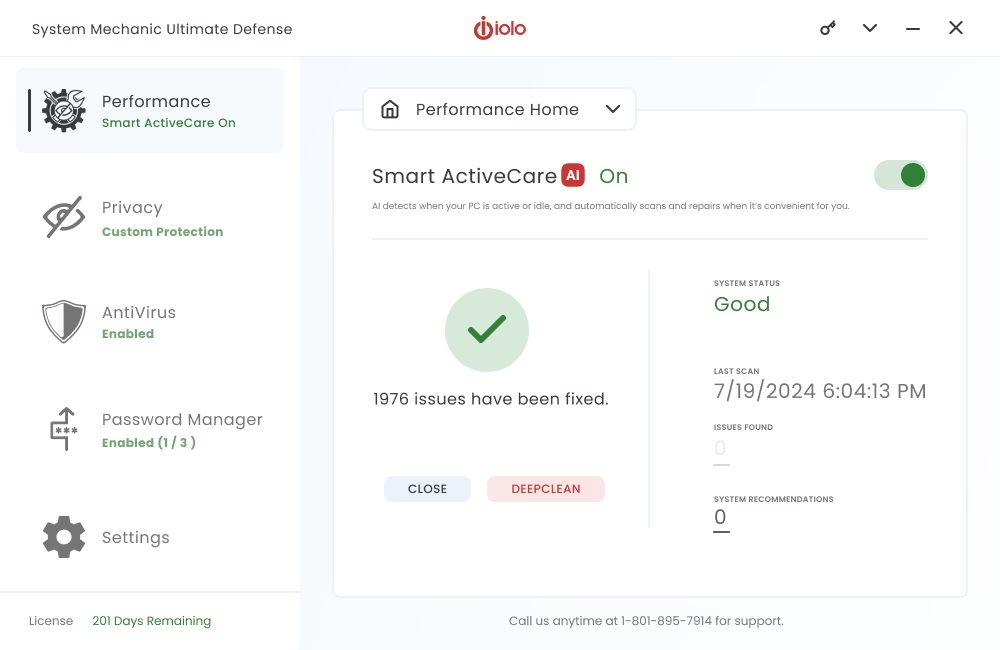
Smart ActiveCare
System Mechanic Ultimate Defense comes with AI-powered Smart ActiveCare. This tool automatically detects and repairs performance issues when your PC is idle, so you never have to interrupt your work for maintenance.
System Shield & Malware Killer
It includes real-time antivirus protection (System Shield) that blocks viruses, ransomware, and malware. The Malware Killer tool performs on-demand deep scans to remove existing threats quickly and effectively.
Privacy Guardian
Privacy Guardian protects you from digital fingerprinting and online tracking. It helps keep your browsing habits private and reduces the amount of personal data websites and advertisers can collect about you.
ByePass Password Manager
ByePass securely stores and auto-fills your passwords and payment information. It encrypts your credentials locally so they stay safe from hackers.
DriveScrubber & Search and Recover
DriveScrubber uses military-grade wiping technology to permanently erase sensitive data from hard drives. Search and Recover helps you restore accidentally deleted files quickly.
Performance Optimization Tools
The suite includes DeepClean, LiveBoost, startup optimization, registry repair, junk file removal, and memory management. These tools free up resources and make older or slow PCs feel much faster.
The most practical feature is the Whole Home License — you can install and use System Mechanic Ultimate Defense on up to 10 Windows PCs in your household with a single subscription.
How Does System Mechanic Ultimate Defense Work
Here is a simple series of steps you can follow to download and start using System Mechanic Ultimate Defense.
Steps to Download and Install System Mechanic Ultimate Defense
- First, navigate to this link to get System Mechanic Ultimate Defense.

- Next, choose your plan and complete the purchase.
- Download the installer and run the setup file.
- Follow the on-screen instructions to complete the installation.
- Launch the program and activate it with your license.
- From the main dashboard, run a full system scan or enable Smart ActiveCare for automatic maintenance.
- Wait until the scan finishes and review the recommended fixes before applying them.
That was all about the features and usage guide for System Mechanic Ultimate Defense. While the software looks promising, it has its fair share of downsides, as we noted during our review.
So, what are those shortcomings? Let us walk you through the pros and cons.
System Mechanic Ultimate Defense Pros and Cons
Here, you may take note of the advantages and disadvantages of using System Mechanic Ultimate Defense.
- All-in-one suite (optimization + antivirus + privacy + password manager)
- Covers up to 10 home PCs
- Easy-to-use dashboard
- AI-powered Smart ActiveCare for automatic repairs
- Real-time malware protection
- Strong file recovery and secure wipe tools
- 30-day money-back guarantee
- Noticeable improvement in PC speed and startup time
- Available only for Windows
- Antivirus results are mixed in independent tests compared to top security suites
- Renewal price is higher than the first-year discounted rate
- Some users report aggressive upselling of extra support services
System Mechanic Ultimate Defense Pricing Plans
| Basis | System Mechanic Ultimate Defense |
|---|---|
| Regular Price | $84.95 per year |
| Current Discounted Price | Around $67.93 (often lower with promotions) |
| Devices Covered | Up to 10 home PCs |
| Money-Back Guarantee | 30 days |
| Key Extras | Antivirus + Privacy + Password Manager + File Recovery |
You can check the latest pricing and claim any available discount through the official page using the link above.
Before concluding this System Mechanic Ultimate Defense review, let us answer a few commonly asked questions to clear up any confusion you may have.
Also know: SFC /Scannow (System File Checker) to Repair Missing and Corrupted Files in Windows
Frequently Asked Questions
Q1. Is System Mechanic Ultimate Defense safe and trustworthy?
Yes. iolo has been in the PC optimization and security space for many years. The software includes real-time protection and comes with a 30-day money-back guarantee, so you can try it risk-free.
Q2. Does System Mechanic Ultimate Defense work on Windows 11?
Yes. It fully supports Windows 11, Windows 10, and older versions such as Windows 8.1 and Windows 7.
Q3. Is System Mechanic Ultimate Defense good in 2026?
Yes. It remains one of the most complete all-in-one solutions if you want performance optimization, antivirus, privacy tools, and password management in a single package without installing multiple separate programs.
System Mechanic Ultimate Defense Review 2026: Final Thoughts
System Mechanic Ultimate Defense is a solid all-in-one solution that justifies its price with a wide range of useful features. It is especially valuable if you want to keep multiple home Windows PCs clean, fast, and protected without juggling several different tools.
While we like this suite for its convenience and performance benefits, you may not prefer it if you need Mac or Linux support, or if you want an antivirus that consistently ranks at the very top of independent lab tests. In that case, you may continue your search. Otherwise, System Mechanic Ultimate Defense is a good pick for most Windows users.
That’s all for now. We hope this System Mechanic Ultimate Defense review helps you make the right decision. You can download it securely from the official page here:
Download System Mechanic Ultimate Defense

Feel free to write to us in the comments if you have anything to add or any questions.