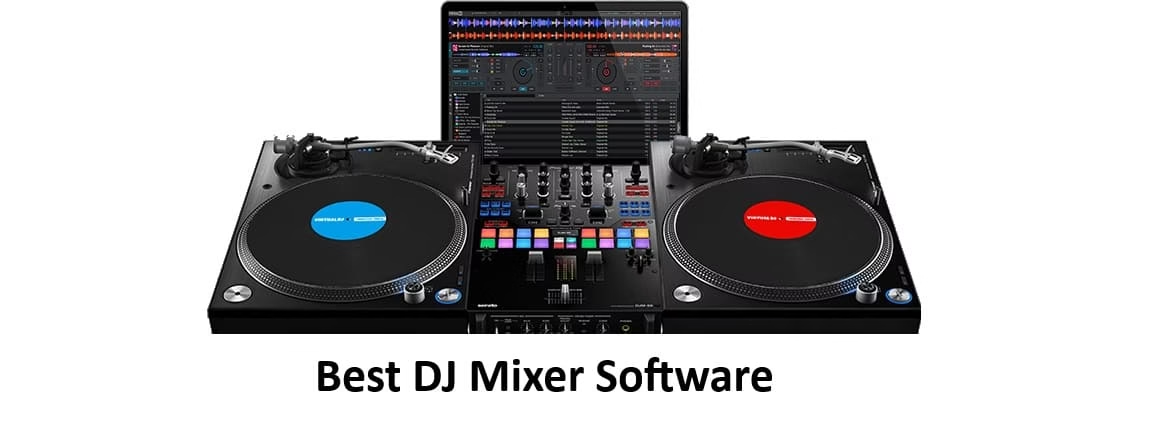
Hey there, music lovers! I’m Amanda, your go-to tech writer who’s been geeking out over DJ tools for years. If you’re dreaming of spinning tracks, dropping seamless mixes, and building epic sets without dropping hundreds on a controller or mixer, you’re in the right place. In 2026, DJ mixer software has never been more powerful or accessible. These programs turn your laptop (or even tablet) into a full virtual mixing console no extra gear required. Just load your tracks, grab your mouse or keyboard, and start creating.
What is DJ mixer software and why do we need it?
At its core, DJ mixer software (or simply DJ software) is a digital version of those classic two-deck setups with crossfaders, EQs, effects, and beat-matching tools. It lets you blend tracks, add loops, apply effects, and even separate stems (vocals, drums, etc.) in real time all inside your computer. You don’t need hardware because everything runs on your existing device using mouse, keyboard, or touchscreen controls.
Why do we need it in 2026? Life moves fast! Whether you’re a bedroom producer testing ideas, a content creator making mixes for TikTok or YouTube, a radio host prepping shows, or just someone who wants to DJ friends’ parties without lugging equipment, this software makes it effortless and affordable. No more expensive controllers or club-grade mixers to get started. Plus, with AI features exploding this year, these tools handle the technical stuff so you can focus on creativity and fun.
I built this list by diving deep into the latest 2026 reviews, hands-on tests from DJ communities, official specs, and real user feedback. Focused only on options that are 100% functional without any external hardware pure software magic that works right out of the box on your computer. I prioritized ease of use, unique features, value for money, and versatility across skill levels. Here’s my curated top 5 that deliver pro results without the pro price tag (or the hardware).
List of Top 5 DJ Mixer Software
Each of these stands out for letting you mix like a boss using nothing but your laptop. Let’s break them down one by one.
1. DJ.Studio
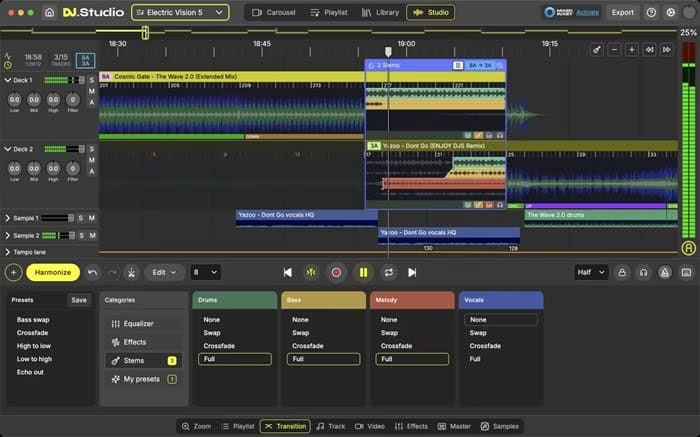
If you’re all about creating polished, professional-sounding mixes from the comfort of your couch, DJ.Studio is a game-changer. It’s not your traditional deck-style software it’s a timeline-based “DAW for DJs” that feels like editing a video but for music.
Unique features:
AI-powered automix that suggests harmonic transitions, stem separation for creative remixes, timeline editing for perfect cuts and effects, seamless library imports from Serato/Rekordbox/VirtualDJ, and one-click exports to audio, video, or even Ableton projects. You can tweak every transition manually or let AI handle the heavy lifting.
Compatibility with devices and operating systems:
Works beautifully on Windows 10/11 and macOS (Monterey or newer). No controller needed fully optimized for mouse and keyboard. Runs smoothly on standard laptops with 8GB+ RAM.
Price:
Super flexible one-time licenses start at $99 for the Studio edition (great for beginners) and go up to around $149–$169 for Pro + Stems (includes advanced features and 12 months of updates). There’s also a monthly subscription option if you prefer.
Best for:
Content creators, radio DJs, and anyone who wants to produce flawless mixes, mashups, or online sets without performing live. It’s perfect if your goal is studio-quality output you can share instantly.
Also know: Best USB Bluetooth Dongles for Windows PC
2. Mixxx
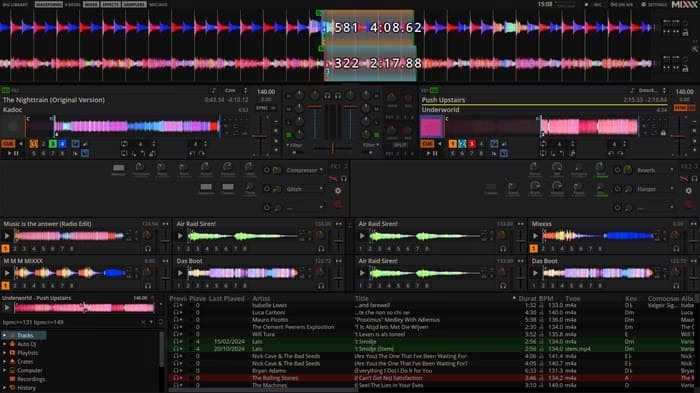
The people’s champion of DJ software completely free, open-source, and surprisingly powerful. Mixxx proves you don’t need to spend a dime to get serious mixing capabilities.
Unique features:
Built-in BPM and key detection, effects library, looping, hot cues, recording, internet broadcasting (great for live streams), and timecode vinyl support if you ever go hybrid. The interface is customizable with skins, and the community keeps adding improvements.
Compatibility with devices and operating systems:
Cross-platform superstar Windows, macOS, and Linux. Works on virtually any computer and supports MIDI if you add a controller later (but zero need for one now). Super lightweight and stable.
Price:
100% free forever. Donations are welcome to support the volunteers behind it, but there are no paywalls or subscriptions.
Best for:
Beginners dipping their toes in, budget-conscious DJs, Linux users, or anyone who wants a no-frills, reliable tool for practicing or casual gigs. It’s the ultimate “just start mixing” option.
3. VirtualDJ
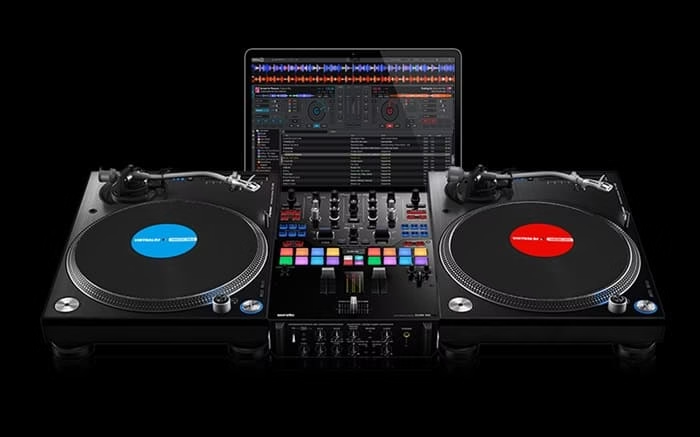
A longtime favorite that keeps innovating in 2026 with AI smarts. VirtualDJ feels premium but stays accessible for hardware-free use.
Unique features:
Real-time stem separation, AI playlist building (type a prompt like “90s hip-hop set” and it delivers), lyric visualization and censoring, advanced effects engine, video mixing, and sandbox mode for testing ideas risk-free. It’s packed with smart folders and automix tools.
Compatibility with devices and operating systems:
Windows 10/11 and macOS (up to the latest versions). Runs great on standard laptops no hardware required for full home use. Plug-and-play if you ever add a controller.
Price:
Completely free for non-commercial/home use. Upgrade to Home ($4/month) or Pro ($19/month) only if you go professional or need extra features.
Best for:
Versatile home DJs, streamers, and creators who want cutting-edge AI without complexity. It grows with you from bedroom practice to pro-level sets.
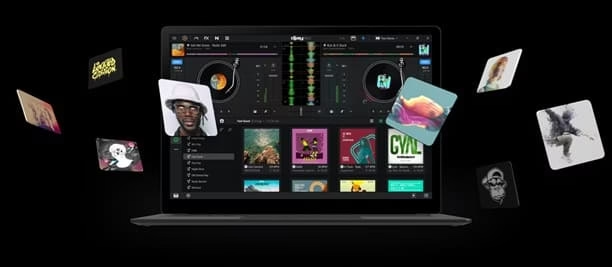
4. djay Pro by Algoriddim
Sleek, modern, and packed with Apple-level polish (but now strong on Windows too). djay Pro brings that “wow” factor with its intuitive design and streaming integrations.
Unique features:
Neural Mix™ for real-time stem separation and remixing (play just the vocals from one track over another), AI Automix, Spotify/Apple Music/TIDAL integration, video mixing, and touch-optimized controls. It feels like a natural extension of your music library.
Compatibility with devices and operating systems:
Mac, Windows 10/11, iOS, and iPadOS. Excellent on touchscreens or desktops perfect for laptops or tablets. No hardware needed; everything works with mouse, trackpad, or fingers.
Price:
Free version gets you started with core tools. Full Pro features via subscription (around $7/month or $40/year exact pricing can vary slightly by region).
Best for:
Mobile or Apple ecosystem users, party DJs, and anyone who loves streaming services and creative stem play. It’s incredibly fun for quick, high-energy mixes.
Also know: Best Interactive Storytelling Apps for Mobile & Web Devices
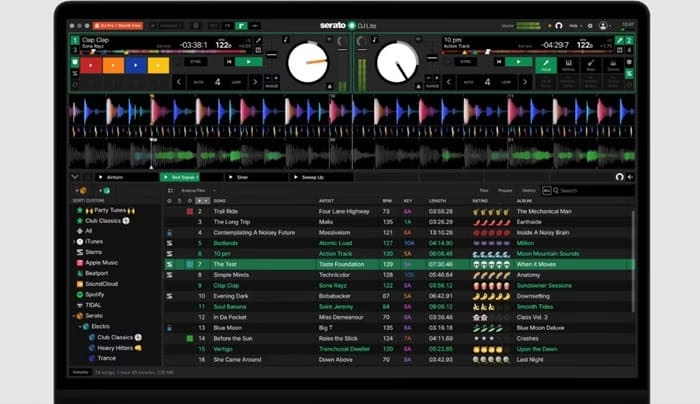
5. Serato DJ Lite
The clean, beginner-friendly entry point from a pro-grade brand. Serato DJ Lite gives you that professional feel without any cost or commitment.
Unique features:
Solid beatmatching, basic effects, stem separation (limited but useful), library management, and a layout that mirrors the full Pro version. Easy recording and simple automix tools.
Compatibility with devices and operating systems:
Windows and macOS. Lightweight and runs smoothly on older laptops. Keyboard and mouse controls work perfectly no hardware lock-in for Lite.
Price:
Totally free. (Upgrade to Pro only if you want advanced features later Lite has no subscription.)
Best for:
New DJs, students, or anyone testing the waters. It’s a gentle on-ramp to the Serato world and great for building confidence before going bigger.
Conclusion
There you have it my top 5 DJ mixer software picks for 2026 that prove you can create magic without any extra hardware. Whether you’re mixing for fun, content, or your first live set, these tools make it simple, creative, and budget-friendly. From DJ.Studio’s timeline wizardry to Mixxx’s zero-cost reliability, there’s something here for every style and skill level.
As Amanda, if I had to pick just one as the best overall for most people skipping hardware entirely? I’d go with DJ.Studio. It’s purpose-built for pure software mixing, the AI features save so much time, and the results sound pro right away. Start there if you want to create shareable mixes fast then branch out as you grow. Whichever you choose, the most important thing is to load up some tracks and just play. You’ve got this!
Drop a comment if you try any of these I’d love to hear how your mixes turn out. Happy spinning! 🎧
FAQs
Q1. What is the best DJ mixer software right now?
The best DJ mixer software in 2026 is the one that feels most natural for your workflow, but Serato DJ Pro consistently comes out on top for most professional and serious DJs. It offers rock-solid performance, intuitive mixing, excellent sound quality, reliable effects, and seamless hardware support especially if you’re playing clubs, events, or mobile gigs.
Q2. Do I need to pay for DJ mixer software or is the free version enough?
You can absolutely get started with the free versions of top DJ software they’re genuinely capable for beginners and even many small gigs.
The paid Pro editions unlock more advanced effects, extra decks, video mixing, better streaming tools, professional hardware integration, and remove certain limitations. Most DJs begin with the free tier and only upgrade once they’re gigging regularly and actually need those extra features. It’s a smart way to avoid spending money until you’re sure it’s worth it.
Q3. Which DJ mixer software works best with my equipment?
Most modern DJ controllers and mixers work smoothly with the leading software through plug-and-play support or MIDI/HID modes.
The key is to check compatibility on the manufacturer’s site before buying gear popular controllers from Pioneer, Numark, Denon, and others usually have excellent native support in the top programs. If you already have equipment, download the free version of the recommended software for your controller and test it. Updating your firmware and using the official drivers almost always gives the smoothest experience.

Amanda Starc
Amanda is a dedicated technical web content writer with a passion for transforming complex ideas into compelling and accessible online narratives. With a background in web development, and digital Marketing I bring a unique blend of technical expertise and creative storytelling to the digital domain.
