Many older desktops and some laptops still rely on built-in WiFi that struggles with modern routers, dead zones, or slower speeds. This is where a reliable WiFi adapter dongle (also called a USB WiFi adapter) becomes a game-changer.
This article explores the best WiFi adapter dongles for Windows 11 and Windows 10. We’ll explain what they are, how they work, and recommend top options across different budgets. Whether you need a simple plug-and-play solution for basic browsing or a high-performance model for 4K streaming and low-latency gaming, you’ll find helpful guidance here.
How We Selected the Best WiFi Dongles
We focused on real-world performance, ease of use, compatibility with Windows 10/11, signal strength, speed (including WiFi 6 and WiFi 7 support), and value for money. Factors like antenna design for better range, driver reliability, and user feedback from trusted review sites guided our choices. All recommended adapters are USB-based for easy installation—no opening your PC case required. Prices fluctuate, so check current listings on Amazon or official sites, but we aimed for options that deliver excellent performance without overspending.
A good WiFi adapter dongle can instantly upgrade your connection, reduce buffering, and extend range. Let’s dive in.
What is a WiFi Adapter?
A WiFi adapter (or WiFi dongle) is a small USB device that adds or upgrades wireless internet capability to your computer. It receives WiFi signals from your router and connects your PC to the network without cables.
Most modern PCs have built-in WiFi, but older models or desktops with weak internal antennas often drop connections or deliver slow speeds. A USB WiFi adapter dongle solves this by providing external antennas, better signal processing, and support for newer standards like WiFi 6 or WiFi 7.
Key benefits include:
- Easy installation — Plug it in, install drivers if needed (many are plug-and-play on Windows 10/11), and connect.
- Improved range and speed — External or high-gain antennas help overcome walls and distance.
- Future-proofing — Newer adapters support faster standards, MU-MIMO for multiple devices, and better security (WPA3).
- Portability — Great for laptops or desktops you move around.
They come in nano sizes for minimal footprint or with cradles/antennas for maximum performance. Whether you’re dealing with a dead zone in your home office or need low latency for gaming, the right WiFi dongle makes a noticeable difference.
Best WiFi Adapter Dongle in Your Budget for Windows
Finding the perfect WiFi adapter depends on your needs and budget. Premium options like WiFi 7 adapters deliver blazing speeds and future-proofing for gigabit+ plans, while budget picks handle everyday tasks reliably. We’ve selected strong performers across price ranges based on expert tests for speed, range, and Windows compatibility.
All recommendations work seamlessly with Windows 11 and 10.
1. Netgear Nighthawk A9000 (WiFi 7) – Premium Pick for Maximum Performance
If you want the absolute best WiFi adapter dongle and have a WiFi 7 router (or plan to upgrade), the Netgear Nighthawk A9000 stands out. This tri-band USB adapter brings cutting-edge technology to any Windows PC, delivering exceptional speeds and reliability for demanding tasks.
The Netgear Nighthawk A9000 is a high-end USB 3.0 WiFi 7 adapter designed for users who need top-tier performance. It supports tri-band connectivity (2.4 GHz, 5 GHz, and 6 GHz) with speeds up to 6.5 Gbps. Its flip-open antenna and included cradle help optimize placement for the strongest signal. Setup is straightforward on Windows 11/10 with included drivers, making it ideal for 8K streaming, online gaming, large file transfers, and multi-device households. Reviewers praise its ability to maintain connections in challenging spots where other adapters fail.
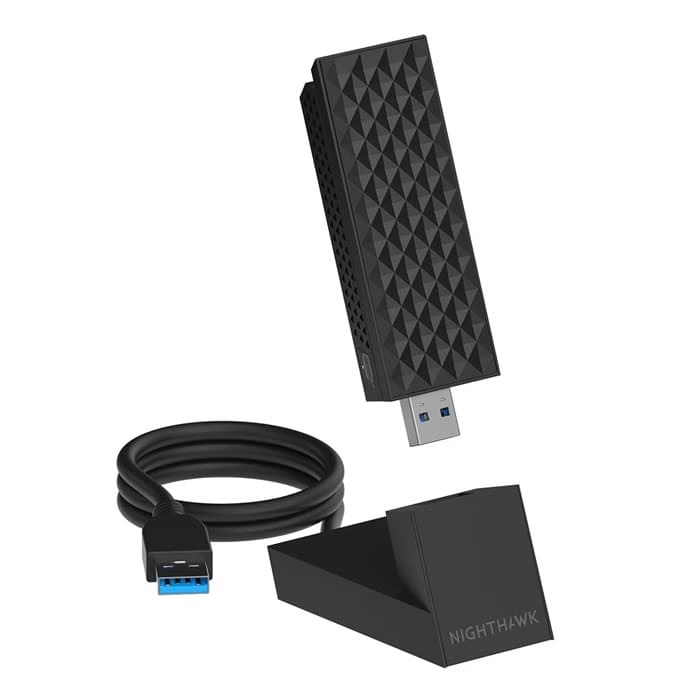
Unique Features of Netgear Nighthawk A9000
- Tri-band WiFi 7 with Multi-Link Operation (MLO) for combining bands and ultra-reliable connections.
- 6 GHz “express lane” for less interference and lower latency.
- Flip-open antenna design and USB cradle for flexible positioning.
- WPA3 security and strong beamforming.
- Excellent real-world performance in tests, including long-range stability.
Compatible Devices: Windows 11/10 PCs and laptops with USB 3.0 ports (backward compatible). Works with any router but shines with WiFi 7 systems.
Price: Around $90–$110 (premium pricing reflects advanced tech).
Connectivity: USB 3.0 for fast data transfer; tri-band support.
Signal Strength: Outstanding, with the cradle and antenna helping it outperform many competitors in distant or obstructed areas. Great for larger homes.
Also know: How to Reset Your PC for a Fresh Start on Windows
2. TP-Link Archer TX20U Plus (WiFi 6 AX1800) – Best Overall Value
For most users, the TP-Link Archer TX20U Plus offers an excellent balance of speed, range, and affordability. It’s a solid step up from older adapters without the premium WiFi 7 cost.
This dual-band WiFi 6 USB adapter delivers up to 1800 Mbps (1201 Mbps on 5 GHz + 574 Mbps on 2.4 GHz). High-gain antennas and a desktop cradle make it versatile for desktops. It supports modern features like OFDMA and MU-MIMO, ensuring smooth performance even in busy networks. Windows 11/10 users love its easy setup and reliable everyday use for streaming, gaming, and work.
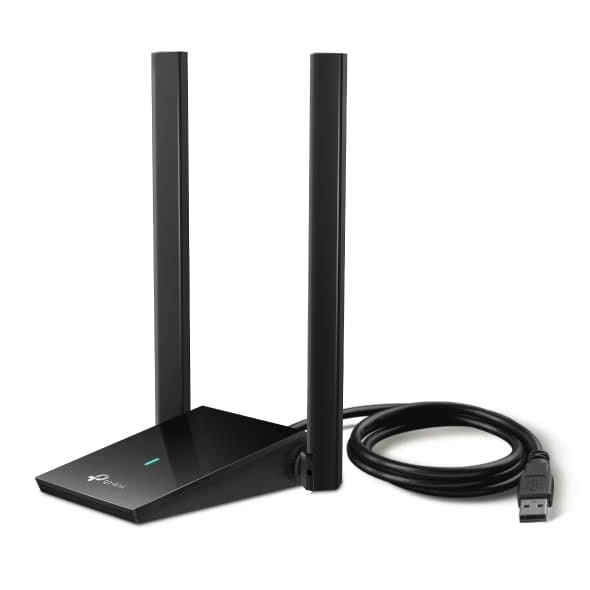
Unique Features of TP-Link Archer TX20U Plus
- Dual high-gain 5dBi antennas for extended range.
- WiFi 6 with OFDMA, MU-MIMO, and Beamforming for efficiency and lower latency.
- USB 3.0 interface with cradle/extension cable.
- WPA3 security.
- Strong compatibility and driver support from TP-Link.
Compatible Devices: Windows 11, 10, and older versions; desktops and laptops with USB ports.
Price: Typically $25–$40, offering great value.
Connectivity: Dual-band (2.4/5 GHz), USB 3.0.
Signal Strength: Very good, with high-gain antennas helping penetrate walls better than nano adapters. Ideal for medium to large spaces.
3. TP-Link Archer T3U / T3U Plus (AC1300) – Best Budget Option
Need a reliable WiFi dongle without spending much? The TP-Link Archer T3U series is a popular, no-frills choice that still delivers solid dual-band performance.
The Archer T3U (or Plus variant with higher gain) is a compact AC1300 USB adapter offering up to 867 Mbps on 5 GHz and 400 Mbps on 2.4 GHz. It’s perfect for HD streaming, browsing, and light gaming. MU-MIMO helps in multi-device homes, and its small size or antenna options suit different setups. It’s one of the best-selling budget adapters for a reason—reliable Windows support and easy plug-and-play functionality.
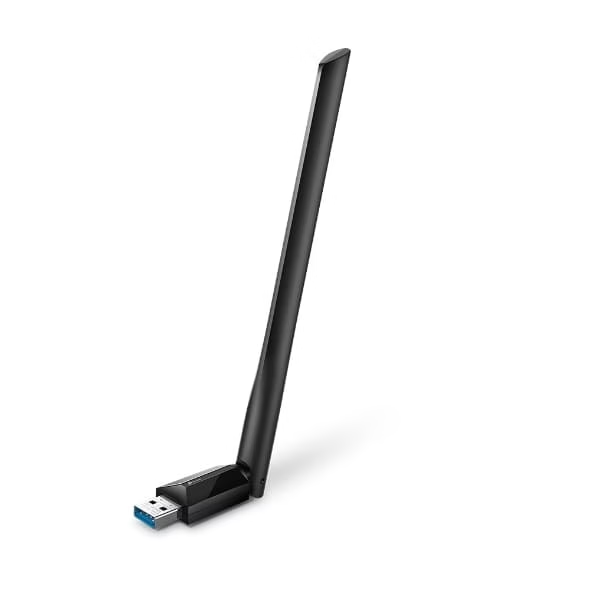
Unique Features of TP-Link Archer T3U
- Dual-band AC1300 speeds with MU-MIMO.
- High-gain antenna on Plus model for better reach.
- Compact design (nano versions available).
- Broad OS compatibility including Windows 11/10.
- Affordable yet capable for most daily tasks.
Compatible Devices: Windows 11/10/8/7, desktops, laptops.
Price: Often under $20–$30.
Connectivity: Dual-band, USB 3.0/2.0.
Signal Strength: Decent for its size; the Plus model with external antenna performs better in larger areas or through obstacles.
Also know: Best USB Bluetooth Dongles for Windows PC
Conclusion
Upgrading with the right WiFi adapter dongle can transform your Windows 11 or 10 experience from frustrating drops to smooth, fast connectivity. For most people, the TP-Link Archer TX20U Plus hits the sweet spot of performance and price. Go premium with the Netgear Nighthawk A9000 if you have (or plan) a WiFi 7 setup and need maximum speed/range. Budget users will be happy with the Archer T3U series.
Consider your router’s capabilities, room layout, and usage (gaming vs. browsing) when choosing. Always ensure driver updates for best results. A good WiFi dongle is a simple, affordable fix that keeps you connected reliably.

