You love your Switch games, but the hardware feels limiting – 30 FPS drops in big titles, tiny screen in handheld mode, and no easy way to crank up the graphics or play on a big monitor. Dumping your own games to PC should feel freeing, yet finding a reliable Nintendo Switch emulator PC option that actually works well in 2026 can be frustrating with constant updates, compatibility quirks, and legal noise around forks.
A solid Nintendo Switch emulator changes everything. You get higher resolutions, stable frame rates, mods, and the ability to play anywhere on your Windows PC. Whether you’re revisiting Zelda: Tears of the Kingdom in 4K or speeding through Mario Kart, the right emulator delivers a noticeably better experience than the original console.
What Is a Nintendo Switch Emulator and Its Benefits?
A Nintendo Switch emulator is a piece of software that replicates the Nintendo Switch console’s hardware and software on your Windows PC (or other devices). It allows you to play Switch games directly on your computer without needing the actual handheld console. Popular emulators like Ryujinx forks or other active projects mimic the Switch’s ARM processor, graphics, and system features so games run almost like they would on real hardware.
To use one, you need to legally dump your own game files from cartridges you own or back up digital purchases — the emulator itself doesn’t come with any games.
Key Benefits:
- Play on a bigger screen — Enjoy games in 1080p, 4K, or even higher resolutions with enhanced graphics and smoother performance on powerful PCs.
- Better controls & convenience — Use your favorite keyboard, mouse, or any controller. No more worrying about battery life or carrying the Switch around.
- Save states & mods — Many emulators let you save anytime, use cheats, or apply graphical mods for improved visuals and faster load times.
- Portability & accessibility — Great for people who no longer have their Switch or want to replay classics on a desktop setup.
- Cost-effective — If you already own the games, it’s a way to experience them in a new way without buying extra hardware.
While emulation can breathe new life into your game library and offer a more comfortable gaming experience, always ensure you use only games you legally own. It’s a fun way for enthusiasts to relive their favorite titles with modern hardware advantages.
Important note: Emulators themselves are legal, but you must own the games and dump them yourself. Avoid pirated ROMs.
Top Nintendo Switch Emulators for Windows PC in 2026
After testing and digging into community reports, here are the standout Nintendo Switch emulator PC options that deliver real results today. These active forks keep improving despite challenges.
1. Eden Emulator
Eden stands out as one of the most actively developed and user-friendly Yuzu-based forks in 2026. It feels like a polished continuation – great for both newcomers and veterans who want reliable performance without constant tinkering.
I’ve run it on mid-range hardware (RTX 3060 + Ryzen 5), and it handles demanding titles smoothly with fewer crashes than older options. The interface is clean, and nightly builds bring quick fixes for specific games.
Key Features of Eden Emulator:
- Excellent Vulkan rendering with strong driver optimizations for modern GPUs.
- Regular updates adding compatibility for new and tricky titles (like fixes for audio bugs in recent Zelda games).
- Improved Android cross-support if you want portable play, plus solid PC stability.
- User-friendly library management, performance overlays, and resolution scaling options (including lower scales for weaker PCs).
- Strong mod and save state support that actually works consistently.
What I love most is how it balances speed and accuracy – games feel responsive, and the team focuses on real usability rather than just raw specs. It’s often praised as the go-to for broad compatibility in 2026.
Also know: Adventure Indie Games to Try
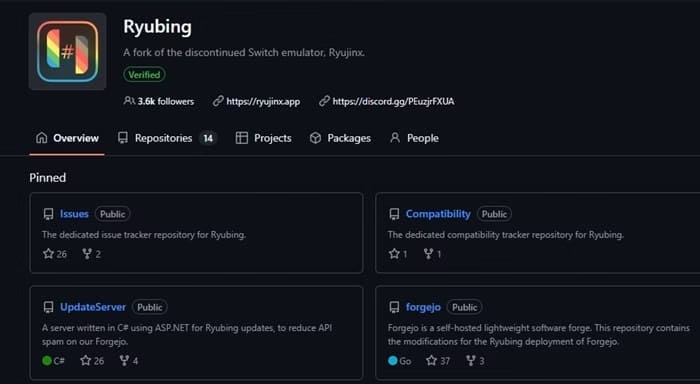
2. Ryubing (Ryujinx Fork)
Ryubing carries the torch for the Ryujinx lineage, known for rock-solid accuracy and stability. If you want an emulator that feels precise and less prone to weird graphical glitches, this is it.
On my setup, it excels in games that need accurate physics or timing. It shines for local multiplayer and titles where stability matters more than bleeding-edge FPS.
Key Features of Ryubing:
- High accuracy in emulating Switch hardware behavior, leading to fewer compatibility surprises.
- Great shader caching and performance on Nvidia/AMD cards for 4K 60 FPS in many games.
- LDN support for pseudo-online multiplayer sessions with friends.
- Easy Steam Deck-like shortcut integration and controller mapping.
- Cross-platform (strong Windows performance) with ongoing community-driven improvements.
It’s my pick when a game feels off in Yuzu forks—Ryubing often makes it play exactly as expected. Perfect for a “set it and forget it” experience.
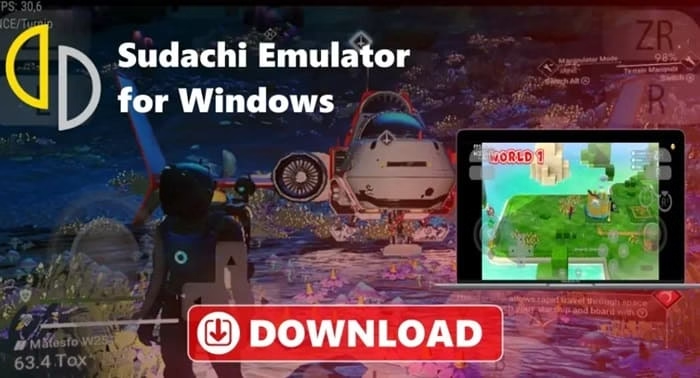
3. Sudachi Emulator
Sudachi is a focused Yuzu fork that prioritizes performance tweaks and a clean experience. It’s especially good if you want fast loading and solid visuals without overwhelming options.
I appreciate its lightweight feel—it boots quickly and handles mid-tier hardware well. Updates may be less frequent than Eden, but when they land, they target real pain points.
Key Features of Sudachi Emulator
- Strong emphasis on speed and reduced loading times.
- Good HD upscaling, shader improvements, and graphics customization.
- Solid controller and multiplayer support.
- Portable setup options and easy firmware/key management.
- Reliable for popular titles with fewer audio stutters in certain scenarios.
It’s a great secondary emulator to test alongside others when one title underperforms elsewhere.
Also know: Metro Games in Order of Release
Other Notable Options
Suyu/Torzu forks still work for specific games but see less active development in 2026. Test them if your favorites don’t run well on the top three. Always check compatibility lists for your must-play titles.
From hands-on use and community digging: Always enable shader caching—it transforms stuttering into smooth play after the first run. Experiment with Vulkan vs OpenGL per game. For mods, tools like Atmosphere-style layers work great across these emulators.
Unique tip: Run Eden for most games and keep Ryubing for titles needing precision (racing or platformers with tight controls). Backup your saves across emulators—transferring is easier than you think. Join Discord communities for the latest nightlies; official sites sometimes lag.
Stay updated emulation moves fast, especially with hardware improvements.
Conclusion
The best Nintendo Switch emulator in 2026 depends on your priorities, but Eden is the top all-rounder for most people, with Ryubing as a close second for stability and Sudachi for speed. Start with Eden, test your favorite games, and you’ll wonder why you stuck with the original hardware.
Dump your owned games, tweak settings, and enjoy Nintendo classics (and new hits) like never before—smoother, sharper, and on your terms. Happy emulating!
As an expert at Avsoftlab, I test these tools so you don’t have to waste time on duds.
FAQs
Q1. Are Nintendo Switch emulators legal to use?
Yes, emulators themselves are completely legal. They are just software that mimics the Switch hardware. However, you must only use game files (ROMs/dumps) that you legally own — either by dumping them from your own game cartridges or digital purchases. Downloading pirated games is illegal. Stick to your own backups and you’ll stay on the safe side.
Q2. Which is the best Nintendo Switch emulator for Windows PC in 2026?
Eden is currently the top recommendation for most users. It offers excellent performance, regular updates, good compatibility, and an easy-to-use interface. If you prioritize stability and accuracy, go with Ryubing (Ryujinx fork). For lighter setups or faster loading, Sudachi works well. Try Eden first — most people stick with it after testing.
Q3. What do I need to run Switch games smoothly on PC?
You’ll need:
- A decent PC (preferably with a modern CPU like Ryzen 5 or Intel i5 and a dedicated GPU like RTX 3060 or better)
- Legally dumped game files
- Firmware and prod.keys from your own Switch
- Patience for initial shader compilation
Once set up, you can enjoy higher resolutions (up to 4K), 60+ FPS, mods, and save states — a big upgrade from the original Switch hardware. Always enable shader caching for smoother gameplay.

Amanda Starc
Amanda is a dedicated technical web content writer with a passion for transforming complex ideas into compelling and accessible online narratives. With a background in web development, and digital Marketing I bring a unique blend of technical expertise and creative storytelling to the digital domain.
