
Hey there! If you’re searching for SafePal download or how to download SafePal securely, you’ve landed in the right place. In this guide, I’ll walk you through everything you need to know about SafePal wallet — from what it actually is to the simplest and safest way to download it in 2026.
We’ll cover the official sources, step-by-step instructions that anyone can follow, and honest advice on whether it’s safe to use. My goal is to make this process stress-free so you can start managing your crypto with confidence. Let’s dive in!
What is SafePal?
SafePal is a popular non-custodial crypto wallet that lets you securely store, send, receive, and manage cryptocurrencies, NFTs, and digital assets. Founded in 2018 and backed by industry leaders like Binance, it supports over 200 blockchains and 200,000+ tokens.
What makes SafePal stand out is its full suite of options:
- Mobile app (iOS and Android) for everyday use
- Browser extension for quick access on desktop
- Hardware wallets (like the S1) for maximum security
Since it’s non-custodial, you control your private keys — not the company. This gives you full ownership of your funds but also means you must stay vigilant with your recovery phrase.
SafePal is designed to be beginner-friendly while offering advanced features like DeFi integration, swapping, staking, and NFT support. Millions of users worldwide trust it for both small daily transactions and larger holdings.
How to Download SafePal in 2026
Downloading SafePal is straightforward, but the key is doing it the right way to avoid fake apps or malicious links (which unfortunately exist in the crypto space).
The Easiest and Safest Way to Download SafePal
The best and safest method is to go directly through official app stores or the SafePal website. Here’s the official download center: https://www.safepal.com/download
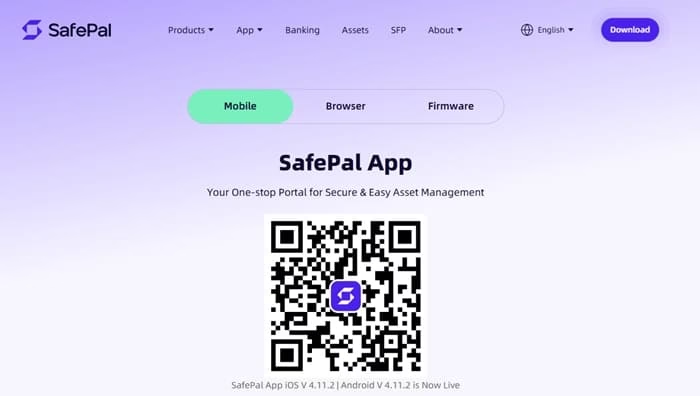
Recommended steps for mobile (easiest for most users):
For iPhone/iPad users:
- Open the App Store on your device.
- Search for “SafePal: Crypto Wallet BTC NFT“.
- Make sure the developer is listed as SAFEPAL LTD.
- Tap Get to download and install the latest version (currently around v4.11.2 as of 2026).
- Open the app and follow the on-screen setup.
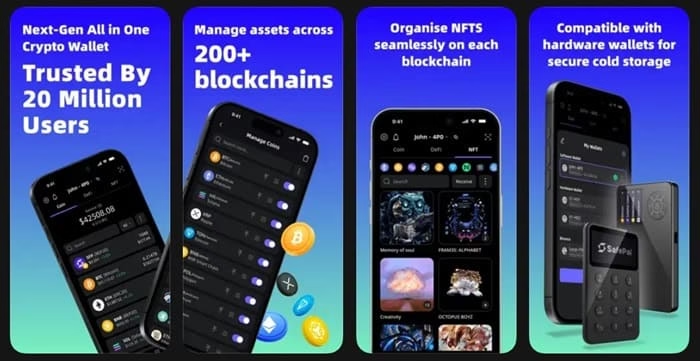
For Android users:
- Open the Google Play Store.
- Search for “SafePal: Crypto Wallet BTC NFT“.
- Verify the developer is SafePal Wallet.
- Hit Install.
- Once installed, launch the app to create or import your wallet.

These official store versions are regularly updated and scanned for security. Always double-check the developer name before installing.
Alternative: Direct from Official Website
- Visit https://www.safepal.com/download
- Choose the version you need (Mobile App or Browser Extension)
- Follow the prompts to get redirected to the correct store or download link
For Browser Extension:
- Go to the Chrome Web Store (or Firefox/Edge)
- Search for “SafePal Extension Wallet”
- Install from the verified developer
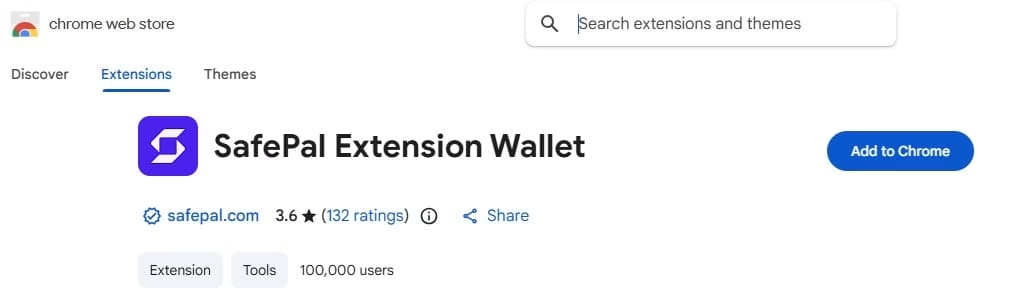
Pro tip from me: Never download SafePal from random websites, third-party APK sites, or links shared in unsolicited messages. Scammers often create fake versions to steal your seed phrase.
Also know: Top Cross Chain NFT Marketplaces in 2026
Is SafePal Safe to Use?
Yes, SafePal is generally considered safe and legitimate when downloaded from official sources. It has never suffered a major hack on its core wallet infrastructure, and it holds strong security ratings in 2026 reviews. Features like encrypted storage, support for hardware wallet pairing, and regular updates help keep your assets protected.
However, remember these important realities:
- As a non-custodial wallet, SafePal cannot recover your funds if you lose your recovery phrase or fall for a phishing scam.
- Most reported “losses” come from user errors (sharing seed phrases, approving malicious DApps, or downloading fake apps) rather than flaws in SafePal itself.
- For larger amounts, pairing the mobile app with a SafePal hardware wallet (like the S1) adds excellent cold storage protection.
Best practices for safety:
- Never share your 12/24-word recovery phrase with anyone.
- Enable biometric security (Face ID, fingerprint) and strong app passwords.
- Double-check every transaction and DApp connection.
- Keep your app updated.
Which Devices Can You Use SafePal On?
SafePal is quite flexible:
- Mobile: iOS (iPhone & iPad) and Android smartphones/tablets
- Desktop/Browser: Chrome, Firefox, and Microsoft Edge extensions
- Hardware: Works seamlessly with SafePal S1 and other supported hardware wallets
It does not have a dedicated desktop application (only browser extension), which keeps things lightweight and focused on security.
Also know: Download Guide of Metamask for Windows (Google/Firefox) & Mobile App
Conclusion
Downloading SafePal doesn’t have to be complicated or risky. By sticking to the official App Store, Google Play, or the SafePal website, you can get the wallet up and running in just a few minutes.
As Amanda, my personal recommendation for most people in 2026 is this: Start with the official mobile app from the App Store or Google Play. It’s the simplest, most secure, and user-friendly option for beginners and daily use. Once you’re comfortable, consider adding a SafePal hardware wallet for extra peace of mind if you’re holding significant value.
Stay safe out there in the crypto world — always verify links, protect your seed phrase like it’s gold, and enjoy your journey with confidence!
If you have any questions about setup or features, feel free to drop them in the comments. Happy (and secure) crypto managing! 🚀

Amanda Starc
Amanda is a dedicated technical web content writer with a passion for transforming complex ideas into compelling and accessible online narratives. With a background in web development, and digital Marketing I bring a unique blend of technical expertise and creative storytelling to the digital domain.
