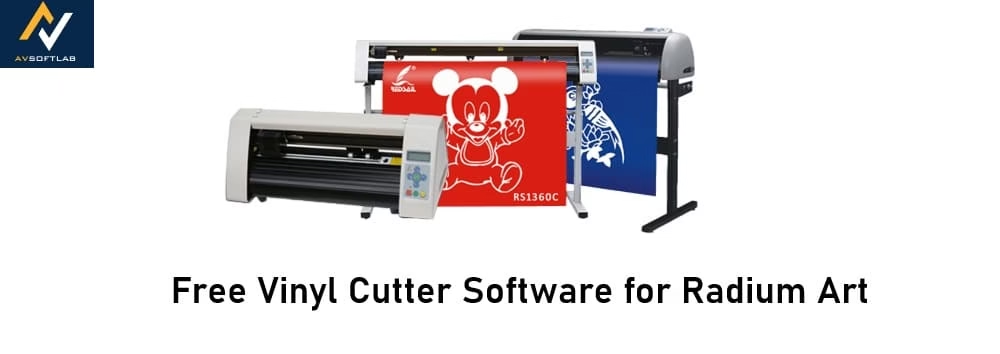
Vinyl cutter software is the brain behind your Radium Art machine. Without it, even the best hardware just sits there doing nothing. This program lets you create or import designs, set precise cut paths, adjust speed and pressure, and send everything straight to the cutter so it slices vinyl cleanly and accurately every time. Whether you’re making stickers, banners, decals, or vehicle graphics, good vinyl cutter software turns your Radium Art into a real productivity powerhouse—saving time, reducing waste, and letting your creativity shine.
If you own a Radium Art vinyl cutter and don’t want to spend money on software in 2026, you’re in luck. There are several genuinely useful free (or free-to-start) options that work great with these popular Indian-market plotters. Below I’ve rounded up the top free vinyl cutter software choices that Radium Art users love right now.
Top Free Vinyl Cutter Software for Radium Art in 2026
Here are the standout free options that deliver solid performance with Radium Art cutters on Windows machines (most people’s go-to setup). I’ve focused on tools that are either completely free or have a strong free tier, easy enough for beginners yet powerful for regular use.
1. Inkscape with Inkcut Extension
Inkscape is a fully free, open-source vector graphics editor that pairs beautifully with the Inkcut extension for direct vinyl cutting. It’s the most recommended completely free vinyl cutter software for generic cutters like Radium Art.
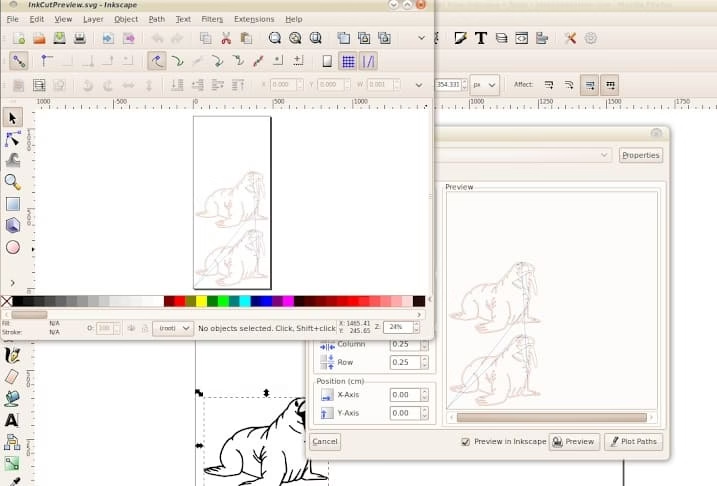
Key features include powerful vector design tools (nodes, paths, text on path, welding, tracing bitmaps), SVG import/export, and Inkcut for sending jobs straight to your cutter with full control over speed, pressure, blade offset, and multi-pass cuts. The community is huge, so tutorials and help are everywhere.
Compatibility: Works perfectly on Windows 7, 8, 10, and 11 (plus Mac and Linux). Radium Art cutters connect via USB and respond well to Inkcut’s HPGL-style output.
Free and paid plans: 100% free forever—no trials, no upsells, no hidden costs.
Why it’s one of the best: It costs nothing, never expires, and gives you pro-level design power. Once you install Inkcut, sending jobs to your Radium Art feels seamless. Perfect if you want zero ongoing expense and love tweaking designs yourself.
Also know: Best Fee AI Tattoo Generator Online in 2026
2. Easy Cut Studio (Basic/Free Version)
Easy Cut Studio is a dedicated sign-making and vinyl cutting program that many Radium Art owners swear by. The basic version gives you everything most hobbyists and small businesses need without paying.
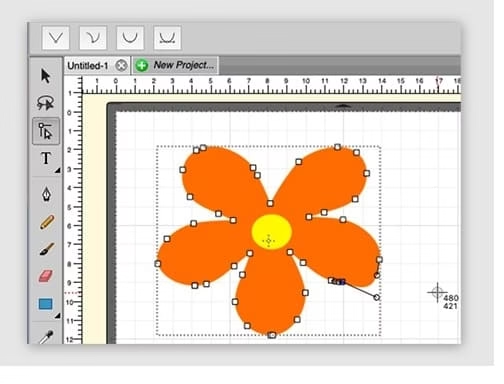
Key features include image tracing, node editing, weld tools, print-and-cut with registration marks, nesting to save vinyl, layer management, and full cutter control (speed, pressure, overcut, mirror, etc.). It handles fonts, shapes, and complex designs effortlessly.
Compatibility: Excellent on Windows 11 down to XP (including Windows 7). It supports hundreds of cutters, including generic USB models like Redsail-style plotters that Radium Art machines are based on.
Free and paid plans: Basic version is free; the advanced/pro edition is a one-time paid upgrade if you want extra bells and whistles later.
Why it’s one of the best: Super user-friendly interface, built specifically for vinyl cutters, and it just works with Radium Art without complicated setup. Great middle ground between free power and polished ease-of-use.
3. VinylMaster Cut (Free/Essential Features Edition)
VinylMaster Cut is tailored for vinyl work and offers a lightweight free or entry-level edition packed with core cutting tools.
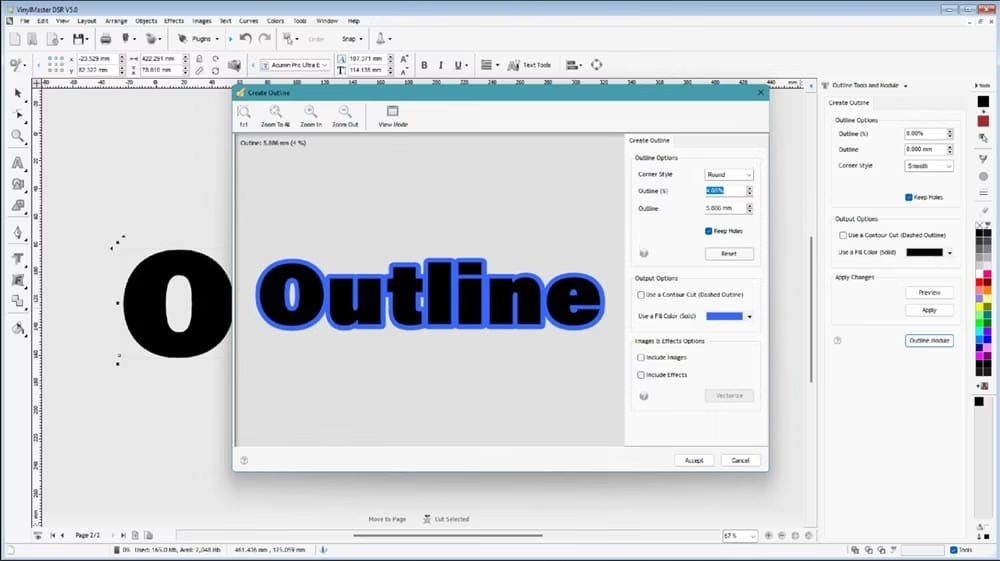
Key features include basic design layout, text and shape tools, contour cutting support, ARMS/laser alignment (if your Radium Art has it), and straightforward job sending with spooler for queuing multiple cuts.
Compatibility: Solid Windows support (7 through 11). It works with thousands of cutters, including many generic USB plotters popular in India.
Free and paid plans: Free essential version available for basic cutting needs; higher tiers unlock more advanced design tools if you grow.
Why it’s one of the best: Simple and focused—no bloat. If you mainly need to import designs and cut cleanly on your Radium Art without fancy extras, this keeps things light and fast.
These three cover most Radium Art users in 2026—whether you’re a beginner designing your first stickers or running a small sign shop.
4. Flexi (FlexiSTARTER or Trial Version)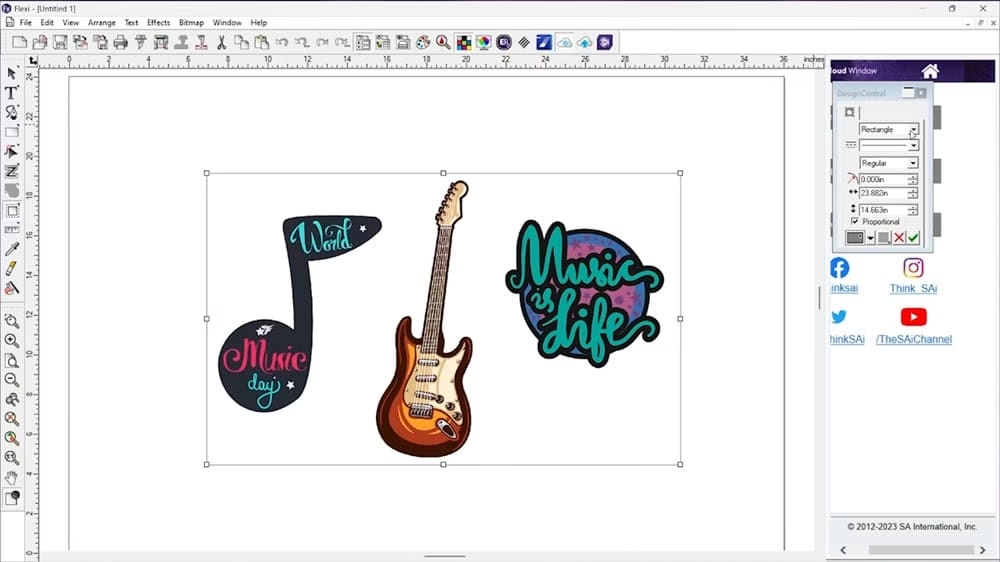
Flexi (often called FlexiSign or FlexiSTARTER) is a professional-grade vinyl cutter software widely used in the sign industry. While the full version is subscription-based or paid, many users start with the FlexiSTARTER edition or the free trial, and some older or bundled versions come with Radium Art machines.
Key features include powerful design tools, excellent image tracing, contour cutting, nesting, print-and-cut workflows, Production Manager for sending jobs, and fine control over cut settings. It’s known for handling complex designs smoothly.
Compatibility: Works great on Windows (including Windows 7 and newer). It supports a huge list of cutters, and Radium Art models (being generic USB plotters) are commonly driven by Flexi in India.
Free and paid plans: FlexiSTARTER or trial versions offer free/limited access for basic cutting and design; full Flexi is available via monthly subscription (around $50–110/month depending on the plan) or one-time purchase in some reseller bundles. Updates and support often require the paid route.
Why it’s one of the best: It feels like industry-standard software with a polished workflow. If you’re already familiar with Flexi from a machine bundle or want professional results, the starter/trial version gives you a taste of high-end features. Many Radium Art users in India prefer it for its reliability once set up.
These four options should cover almost every Radium Art user in 2026—whether you want something totally free or a more professional feel.
Also know: Best Free Ambigram Tattoo Generator 2026
Conclusion
After testing the waters with Radium Art cutters, my top pick for completely free vinyl cutter software is Inkscape with the Inkcut extension. It’s truly free, incredibly powerful, works reliably on Windows 7 and newer, and gives you full control over your machine without any limitations or expiration dates. Most Radium Art owners in India who want zero cost end up here and never look back. If you prefer a more “plug-and-play” cutter-focused interface, start with the free basic version of Easy Cut Studio instead. Either way, you’ll be up and cutting beautiful vinyl projects in no time.
FAQs About Free Vinyl Cutter Software for Radium Art
Q1. Which software is best for Windows 7?
Inkscape with Inkcut or Easy Cut Studio. Both officially support Windows 7 and work smoothly with Radium Art USB drivers on older PCs.
Q2. Does Inkscape really work with Radium Art cutters?
Yes! With the Inkcut extension installed, it connects directly via USB and handles speed, pressure, and all the usual settings just fine.
Q3. Is there any completely free software that never expires?
Inkscape is your best bet—open-source and free forever with no paid upgrades required for basic-to-advanced cutting.
Q4. Can I design and cut complex stickers with these free tools?
Definitely. Inkscape, Easy Cut Studio, and even Flexi’s starter version all handle welding, offsetting, layers, and print-and-cut without problems.

Amanda Starc
Amanda is a dedicated technical web content writer with a passion for transforming complex ideas into compelling and accessible online narratives. With a background in web development, and digital Marketing I bring a unique blend of technical expertise and creative storytelling to the digital domain.
Recent Posts
Free Vinyl Cutter Software for Radium Art in 2026
Editorial Team, 31 Mar 2026

Metro Games in Order of Release in 2026
Editorial Team, 23 Mar 2026

Elden Ring Release Dates: From 2022 to the 2026 Tarnished Edition
Editorial Team, 19 Mar 2026
Most Used Tags
Blog Category

Get amazing web and
app development deals
for your business from us.
