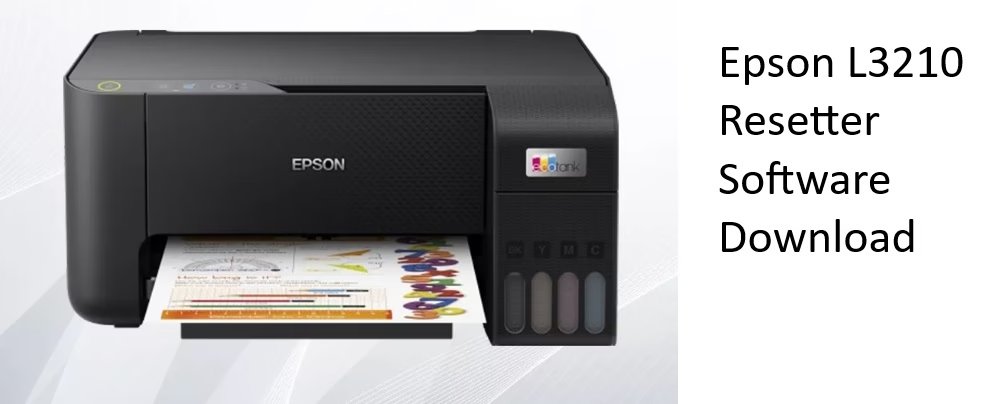
Is your Epson L3210 showing the annoying “Service Required” message? Ink levels showing zero even after refilling? Printer suddenly stopped printing and asks for waste ink pad reset?
Almost every Epson L3210 user faces this situation after 1.5 – 3 years of normal usage. The printer is perfectly fine mechanically it just refuses to work because the internal waste ink counter has reached its limit. This is very common with all Epson EcoTank models including L3210 and many others.
You can reset the waste ink counter yourself in most cases and bring your printer back to life without spending money on expensive service. With the right Epson L3210 resetter software and correct procedure, most of users can reset their printer successfully at home.
In this complete guide you will learn resetter programs actually work in 2026. Step-by-step download & installation instructions for Windows. Safe and most popular reset methods people are using right now. Important safety tips before you start the reset. Whether you are looking for free Epson L3210 resetter software download, want to understand WIC Reset Utility, or just need the safest method you will find clear answers here.
Let’s start with the solutions that most people use successfully today.
Best Download Solutions for Epson L3210 Resetter Software
Here are the most popular and currently working methods:
1. WIC Reset Utility (Most Popular & Most Reliable Method)
WIC Reset Utility is currently the 1 recommended solution by most Epson users worldwide. WIC Reset Utility (Waste Ink Counters Reset Utility) is a popular software tool designed specifically to solve this problem. It lets you read the current waste ink counter values for free and reset them to zero with a purchased key. This brings your printer back to life in minutes without needing expensive service or new pads.
How to use WIC Reset Utility:
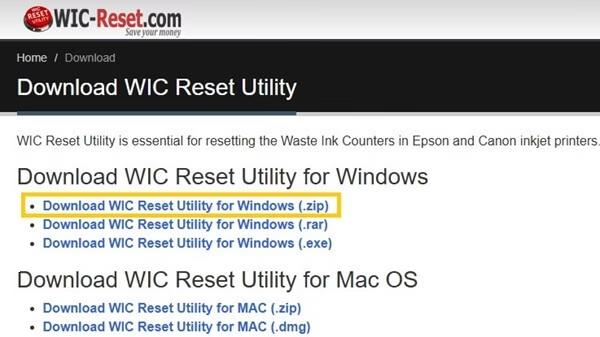
- Download it’s Windows Version in Zip file by visiting it’s official website.
- Connect your Epson L3210 to the computer using a USB cable.
- Double-click the extracted WIC Utility file and launch it on your pc.
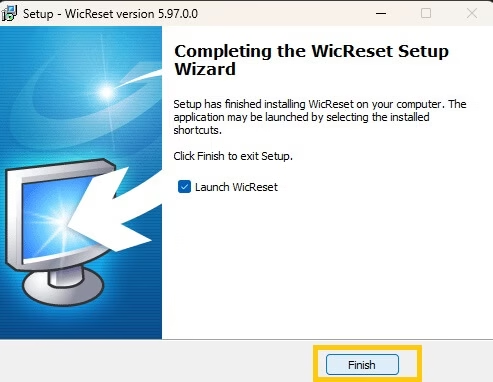
- Finish the installation process.
- Click the “Read Waste Ink Counters” button and see exact percentage of the waste ink pads.
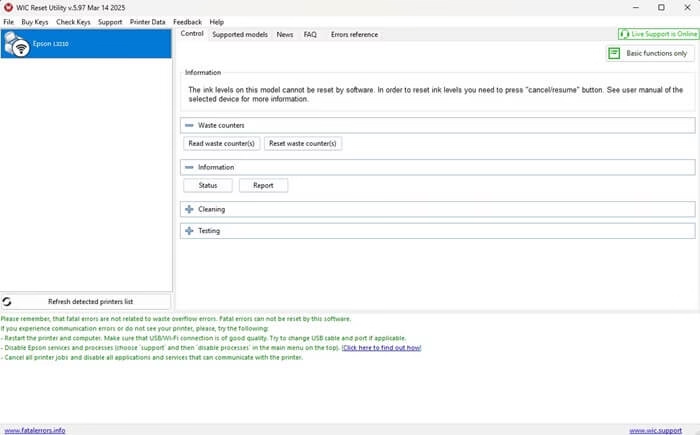
- Click “Reset Waste Ink Counters”
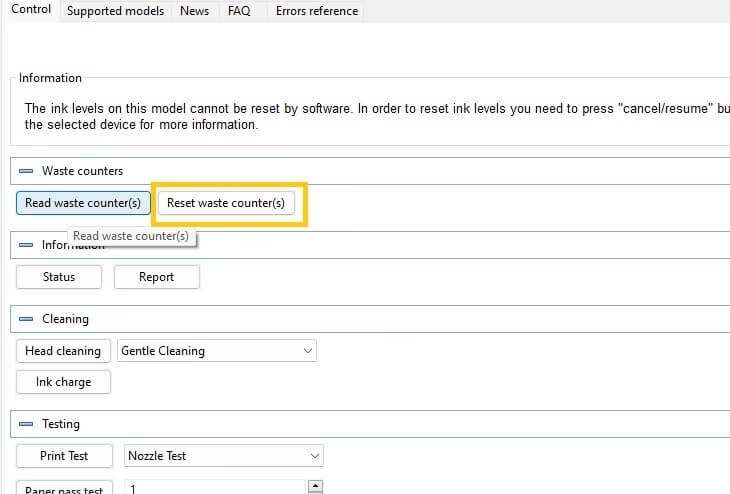
- Buy a key Or use the trial key “TRIAL”. Click OK and wait for the process to finish.
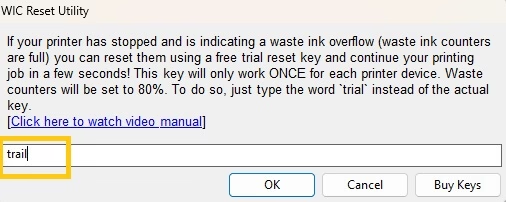
- Turn the printer off when the program tells you to.
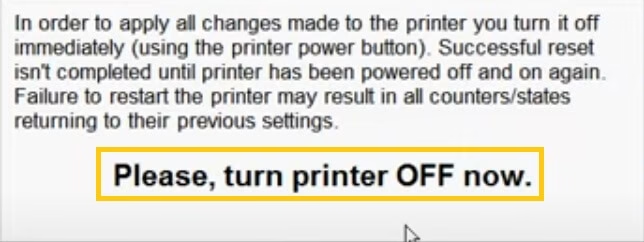
- Wait a few seconds, then turn it back on. Run “Read Waste Ink Counters” again to confirm it now shows 0%
Also know: Download Guide for Metamask
2. Other Free Resetter Tools for Epson L3210
Besides the popular WIC Reset Utility, many websites still offer free Epson L3210 resetter programs. These tools promise to reset the waste ink counter without paying for a key. People often search for names like:
- Epson L3210 Resetter v4.40
- Adjprog L3210
- Epson Reset v5.0
- SSCL Reset Tool
- Epson L3210 Waste Ink Counter Reset
These free tools were quite popular a few years ago and some users still report success with older printer firmware versions. They usually come as small .exe files that you run on Windows, connect your printer via USB, and click a “Reset” button.
Reality Check about free resetters in 2025–2026:
Free resetter tools for the Epson L3210 used to be a go-to solution a few years back, but things have changed a lot in recent times. Epson has rolled out several firmware updates that make most older reset programs completely useless. Here’s the honest truth about trying free versions right now:
- Most free tools fail to communicate properly or just show an error message like “Printer not supported” or “Reset failed.
- Many are detected as viruses.
- If your Epson L3210 was manufactured or updated in 2024–2025, the chances of a free tool working drop dramatically.
- You might need to try 5–10 different downloads, test them one by one, and hope you get one that matches your printer’s exact firmware
Most experienced users now recommend WIC Reset over hunting random free resetters.
Conclusion
Resetting Epson L3210 is usually much easier than people think. Today the clearest winner is WIC Reset Utility higher success rate + regular updates + official support make it the safest and most predictable choice for most users.
If your budget allows, buying one reset key is usually the fastest and least stressful solution. Many people reset 2–3 times with the same key price because they keep printing for many years.
Bookmark this page or share it with friends who also have Epson EcoTank printers.

Recent Posts

Metro Games in Order of Release in 2026
Editorial Team, 23 Mar 2026

Elden Ring Release Dates: From 2022 to the 2026 Tarnished Edition
Editorial Team, 19 Mar 2026

How to Transfer Photos from iPhone to Laptop
Editorial Team, 11 Mar 2026
Most Used Tags
Blog Category

Get amazing web and
app development deals
for your business from us.
