The best 3D printer slicer software for Windows turns your 3D models into precise instructions that your printer can follow. Many users struggle with failed prints, stringing issues, or poor layer adhesion because they use mismatched or outdated slicing tools. Choosing the right slicer fixes these problems fast. It boosts print quality, saves time, and reduces material waste.
This guide ranks the top options available in 2026 for Windows users. You will discover free and powerful tools that work with most FDM printers like Ender 3, Prusa, or Creality models. We focus on slicers that offer strong compatibility, easy interfaces, and advanced features for better results.
You will learn about each software’s strengths in detail. Expect clear explanations of unique tools, speed, support generation, and real-world performance. Whether you are a beginner or experienced maker, these picks help you achieve reliable prints every time. We cover the most trusted names based on community feedback and updates through 2026. Read on to find the slicer that fits your setup perfectly.
Top 5 3D Printer Slicer Software for Windows
Finding the right 3D printer slicer software makes a huge difference in your workflow. The top five options stand out for their reliability, frequent updates, and broad printer support on Windows systems. Each one handles STL, OBJ, and 3MF files well. They deliver clean G-code output for smooth printing. Many users switch between these tools depending on their project needs. Let’s explore what makes each one special.
1. UltiMaker Cura
UltiMaker Cura remains one of the most popular choices for 3D printer slicer software on Windows. Millions trust this free, open-source tool because it supports hundreds of printers out of the box. You get over 400 customizable settings that let you fine-tune every aspect of your print. The Arachne engine improves wall quality and reduces gaps on complex shapes. Beginners love the simple interface and one-click profiles for quick starts. Advanced users dive into custom scripts and plugins from the marketplace.
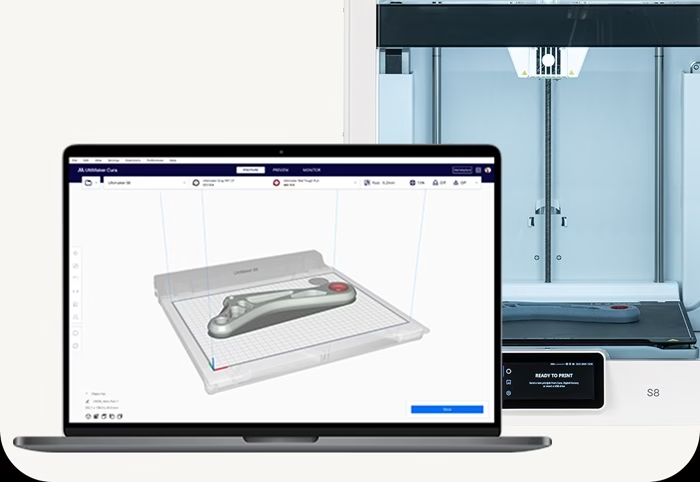
Cura handles multi-material setups and tree supports effectively. Regular updates keep it compatible with the latest hardware. Many hobbyists and pros use it daily for reliable results without extra cost.
Also know: Hero Forge Alternatives to Create 3d Model
2. PrusaSlicer
PrusaSlicer delivers excellent control and clean prints, making it a favorite among serious makers. This free, open-source tool started from Slic3r but evolved with powerful features. Its standout strength lies in support generation. Paint-on supports let you place them exactly where needed and avoid damaging delicate parts. Variable layer height saves time on tall models while keeping detail sharp in key areas. The software includes built-in profiles for Prusa printers but works great with other brands through custom setups.
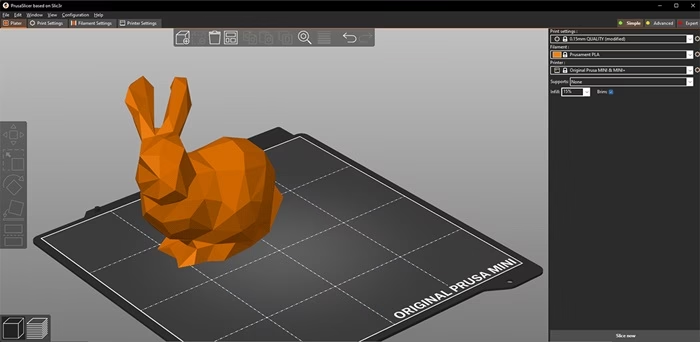
You can manage multiple filaments and printers easily. Preview tools show estimated print time and material use accurately. Community contributions keep it fresh with new optimizations. Many users report better surface finish compared to other slicers on the same hardware.
3. Orca Slicer
Orca Slicer builds on proven foundations and adds modern enhancements that speed up workflows. This free tool offers fast slicing times and advanced calibration features. Built-in tests help tune pressure advance, flow rate, and vibration compensation for smoother prints. It supports input shaping to reduce ringing on high-speed machines. The interface feels intuitive yet packed with options like flush volume tuning for multi-color printing. Many Creality and Bambu Lab users prefer it for better compatibility and results.
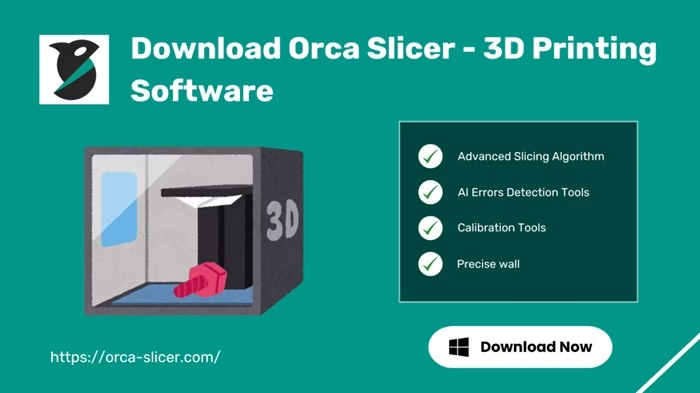
You can import profiles from other slicers and tweak them quickly. Regular community-driven updates bring new features without breaking stability. It excels at high-speed printing while maintaining quality on detailed models.
4. Bambu Studio
Bambu Studio shines for users who want plug-and-play simplicity with high performance. This free slicer comes optimized for Bambu Lab printers but supports many third-party machines through community profiles. It features one-click presets that deliver excellent results with minimal tweaks. Advanced options include accurate flow dynamics and device calibration routines.
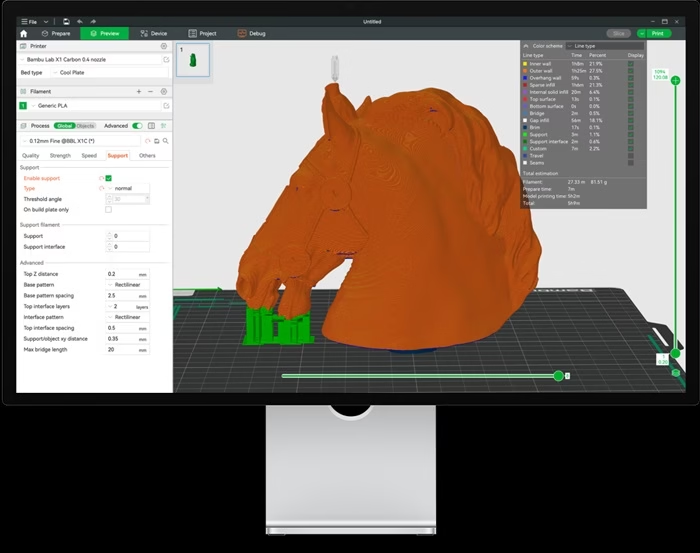
The preview shows color changes and supports clearly. Cloud integration lets you monitor prints remotely. Many beginners choose it for fast setup and reliable output. Experienced users appreciate the speed-focused engine that handles complex geometries well. Updates align closely with hardware releases for peak compatibility.
5. ideaMaker
ideaMaker provides a balanced mix of ease and power for Windows users. Developed by Raise3D, this free slicer includes smart features like auto-orientation and model repair tools. It fixes common mesh issues before slicing to prevent print failures. Advanced supports allow custom angles and densities for tricky overhangs. The software supports multi-extruder setups and offers detailed statistics on print time and cost. Its clean interface hides complexity until you need it.
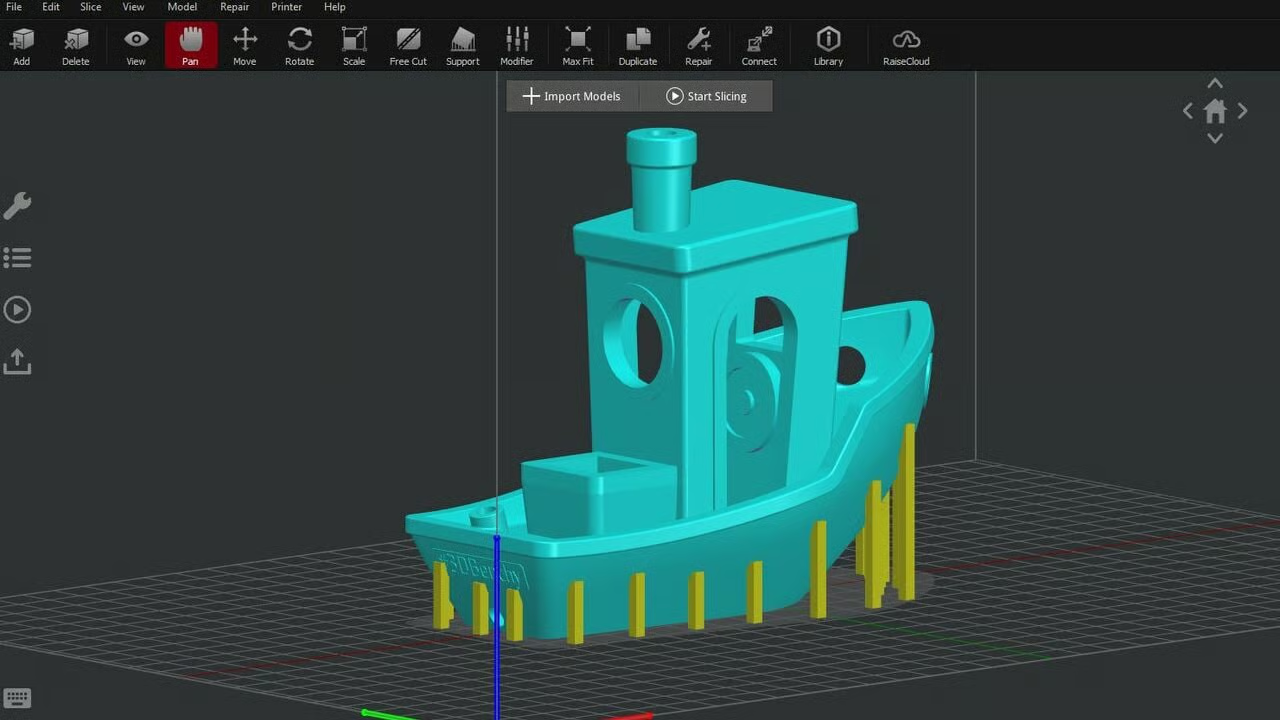
Many professionals use it for precise control over infill patterns and wall thicknesses. Community templates speed up setup for popular printers. It remains a solid choice for consistent, high-quality results across various projects.
Also know: Best Fee AI Tattoo Generator Online in 2026
Conclusion
These top 3D printer slicer software options for Windows cover a wide range of needs in 2026. UltiMaker Cura leads for its massive compatibility and ease of use. PrusaSlicer excels with precise support tools. Orca Slicer brings speed and calibration smarts. Bambu Studio offers seamless performance for modern setups. ideaMaker adds practical repair features.
Start with UltiMaker Cura if you want a versatile, no-cost entry point that grows with you. Download it today and test your next model. You will likely see improvements right away.
Which slicer do you use most? Share your experiences or favorite features in the comments below. We love hearing real-world tips from the community.
Bookmark this page for future reference or share it with a friend starting in 3D printing. Happy slicing!

Recent Posts
Epson L3210 Resetter Software Download for Windows
Editorial Team, 11 Apr 2026

Metro Games in Order of Release in 2026
Editorial Team, 23 Mar 2026

Elden Ring Release Dates: From 2022 to the 2026 Tarnished Edition
Editorial Team, 19 Mar 2026
Most Used Tags
Blog Category

Get amazing web and
app development deals
for your business from us.
